
🌩️ Introduction
When you deploy multiple EC2 instances in AWS, how they’re physically placed in the underlying hardware can directly affect network latency, throughput, and fault tolerance.
That’s where AWS Placement Groups come in — a simple yet powerful way to control the physical placement of your EC2 instances within an AWS Region.
In this blog, we’ll explore what Placement Groups are, their types, and when to use each — with real-world DevOps examples.
⚙️ What is an AWS Placement Group?
A Placement Group in AWS is a logical grouping of EC2 instances that determines how those instances are placed on underlying hardware.
AWS offers different placement strategies to optimize for performance or availability based on your workload requirements.
Think of it as AWS letting you choose between:
- Speed (low latency & high bandwidth) 🔥
- Availability (fault tolerance) 🧩
- Scalability (distributed systems) 🌍
🧱 Types of AWS Placement Groups
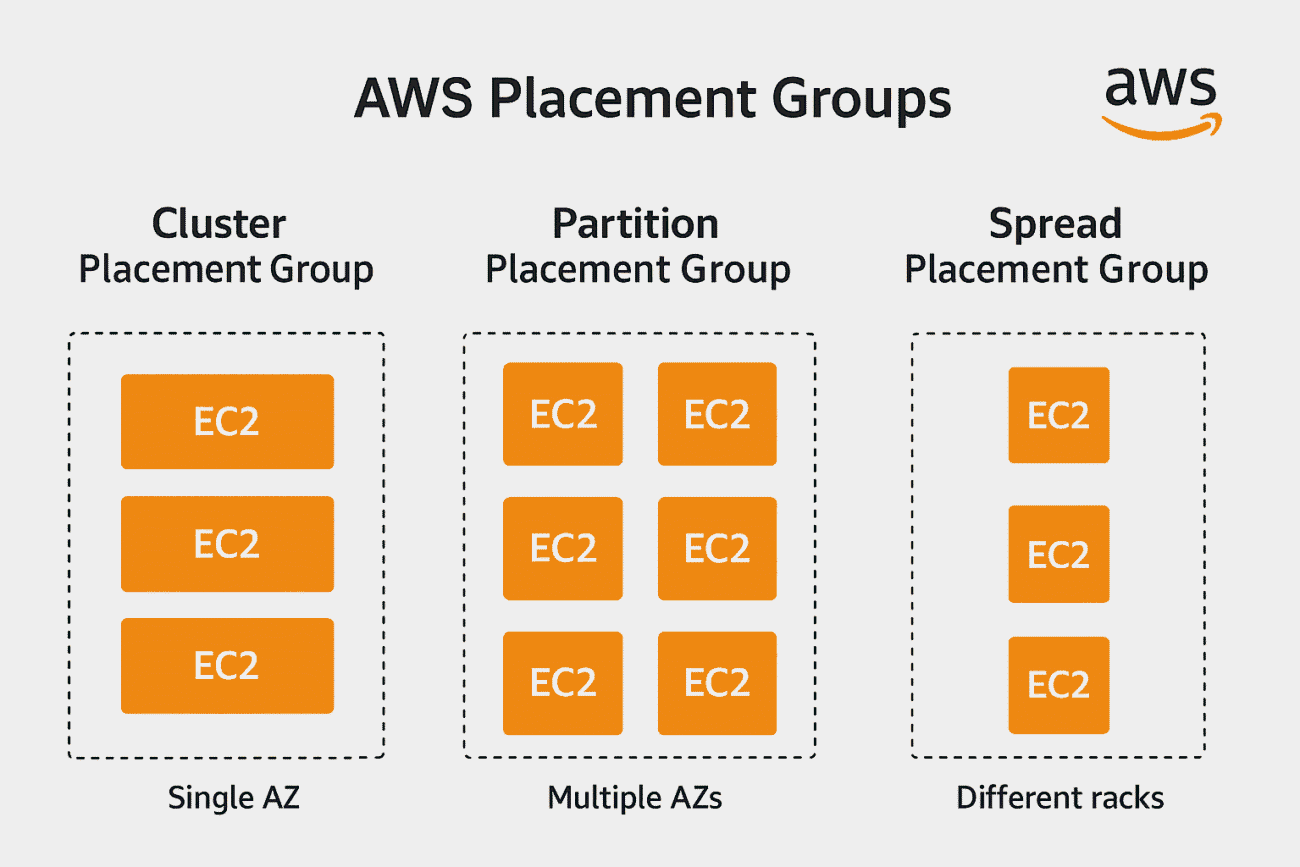
AWS provides three main types of placement groups:
1. Cluster Placement Group
- Goal: Achieve low latency and high network throughput.
- How it works: All EC2 instances are placed close together within a single Availability Zone (AZ).
- Best for:
- High-performance computing (HPC) applications
- Real-time data analytics
- Distributed training of ML models
Example:
You’re running a real-time stock trading system requiring microsecond response times.
Placing all your EC2 instances (for order processing, pricing, and matching engines) in a cluster placement group minimizes network hops and ensures lightning-fast communication.
Commands:
aws ec2 create-placement-group --group-name cluster-demo --strategy cluster
aws ec2 run-instances --image-id ami-0abcdef1234567890 --count 3 --instance-type c5n.large --placement GroupName=cluster-demo
2. Partition Placement Group
- Goal: Achieve high availability by reducing correlated failures.
- How it works: AWS divides instances into logical partitions, each placed on different racks.
- Each partition has its own power source and networking.
- Best for:
- Big data applications (Hadoop, Cassandra, Kafka)
- Large distributed databases
Example:
You’re deploying a Cassandra cluster with six nodes. Using a partition placement group ensures that even if one rack fails, the remaining partitions continue to function — maintaining uptime and data integrity.
Commands:
aws ec2 create-placement-group --group-name partition-demo --strategy partition --partition-count 3
aws ec2 run-instances --image-id ami-0abcdef1234567890 --count 6 --instance-type m5.large --placement GroupName=partition-demo
3. Spread Placement Group
- Goal: Maximize availability by spreading instances across distinct hardware.
- How it works: Each instance is placed on a different rack, with its own network and power source.
- Best for:
- Small number of critical instances
- Redundant workloads
- Control plane or API servers
Example:
You’re hosting three critical microservices — authentication, billing, and monitoring.
By placing each in a spread placement group, AWS ensures they don’t share hardware — so a single failure won’t take down your whole system.
Commands:
aws ec2 create-placement-group --group-name spread-demo --strategy spread
aws ec2 run-instances --image-id ami-0abcdef1234567890 --count 3 --instance-type t3.micro --placement GroupName=spread-demo
💡 How to Choose the Right Placement Group
| Requirement | Best Placement Group | Example Use Case |
|---|---|---|
| Low latency, high bandwidth | Cluster | Real-time analytics, HPC |
| Fault tolerance, large clusters | Partition | Hadoop, Cassandra |
| Maximum availability, few instances | Spread | Critical services, API servers |
🧠 Real-World DevOps Example
Imagine you’re managing an EKS (Elastic Kubernetes Service) cluster for a video streaming app.
- For your video encoding pods, you choose a Cluster Placement Group for high-speed data transfer.
- For your database nodes, you use a Partition Placement Group for resilience.
- For your control plane, you use a Spread Placement Group for fault isolation.
This hybrid approach ensures performance + availability — the DevOps sweet spot!
⚠️ Key Limitations
- Cluster groups must be in a single Availability Zone.
- You can’t merge or modify placement groups once created.
- Some instance types (e.g., older generations) may not support cluster placement.
- You can’t span spread groups beyond seven instances per AZ.
🚀 Final Thoughts
AWS Placement Groups are often overlooked, but they’re one of the most powerful optimization tools for EC2 performance and reliability.
As a DevOps engineer, understanding when and how to use them helps you:
- Reduce latency 🔥
- Improve fault tolerance 🧱
- Design highly available architectures ☁️
Next time you deploy EC2-based workloads — don’t just “launch and forget.”
Place them smartly! 😉
